You will need to opt in via ACTiO to have your swims from participating venues tallied and added to the Sub10 scoreboard.
Follow the steps below to opt in (you only need to do it once for the current season)
Log in to the ACTiO app or use the browser version https://actio.nowca.org/venue/362
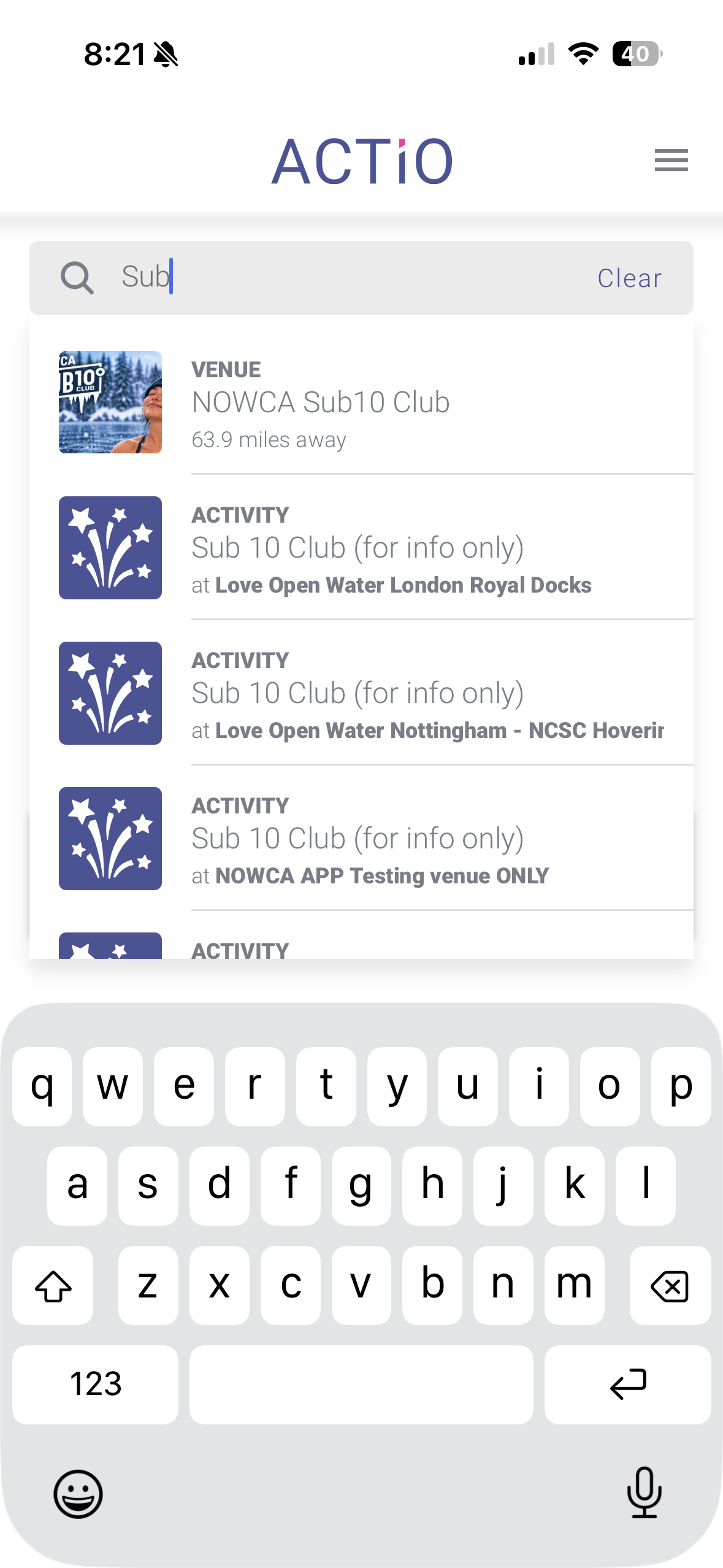 | In the top search bar, type Sub to bring up the NOWCA Sub10 Club |
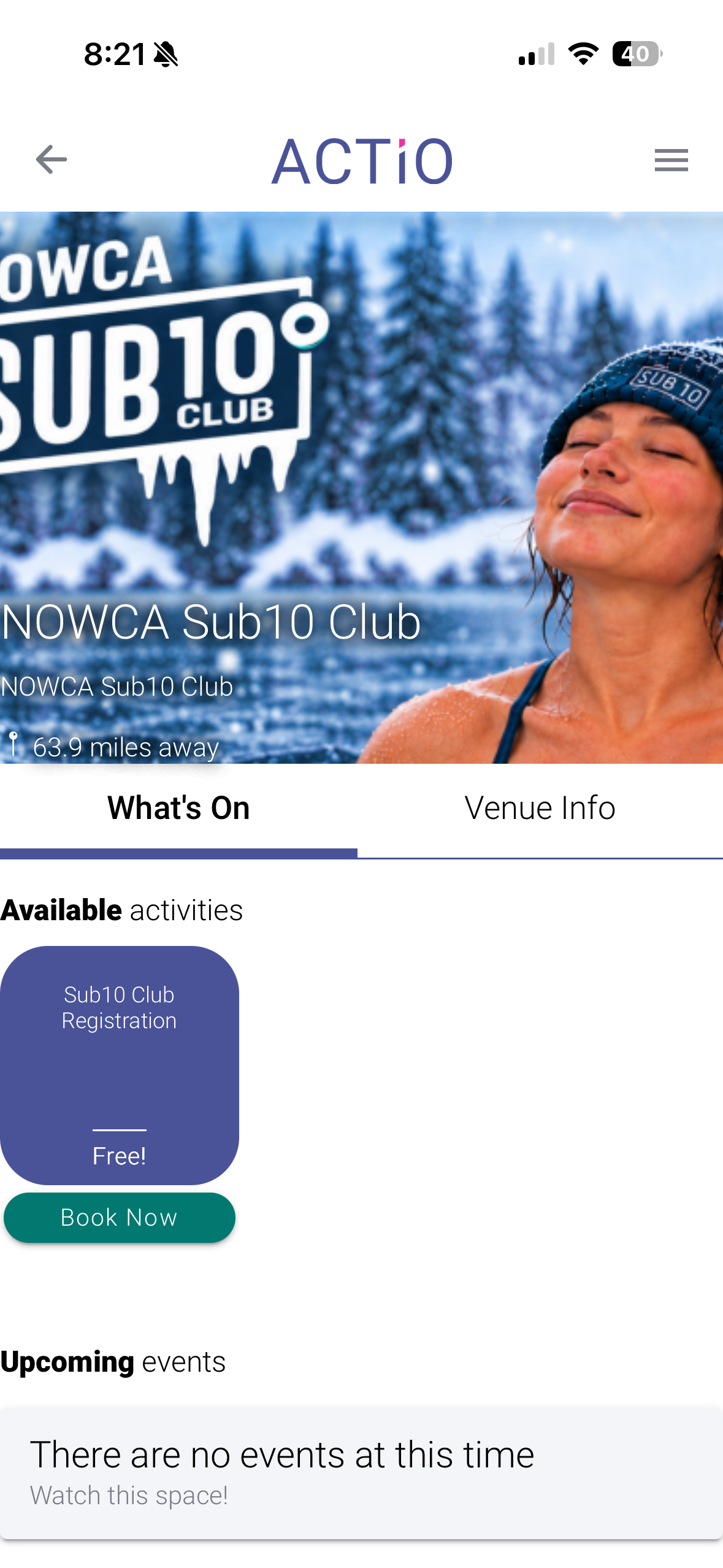 | Click on the Sub10 Club Registration button |
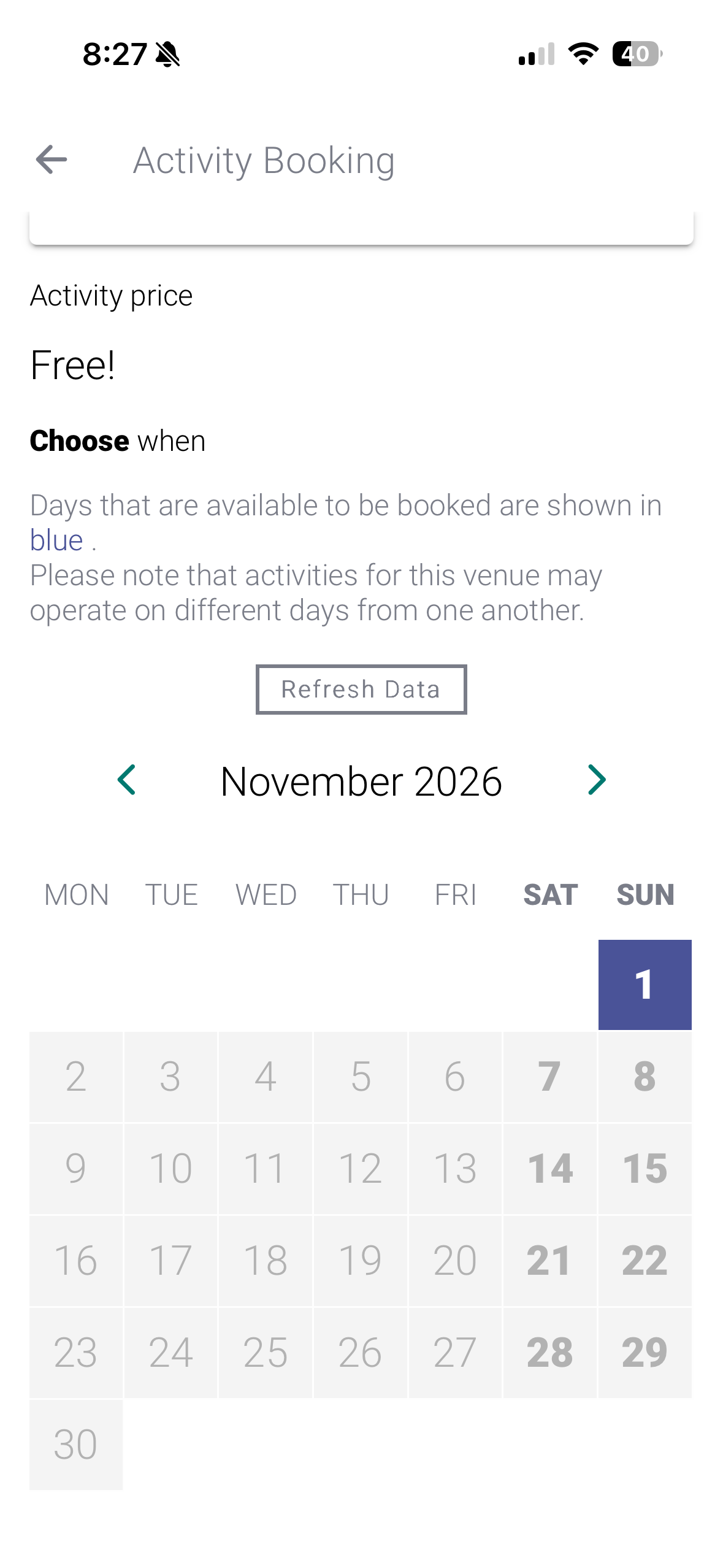 | Choose ANY date that is highlighted in blue on the calendar. |
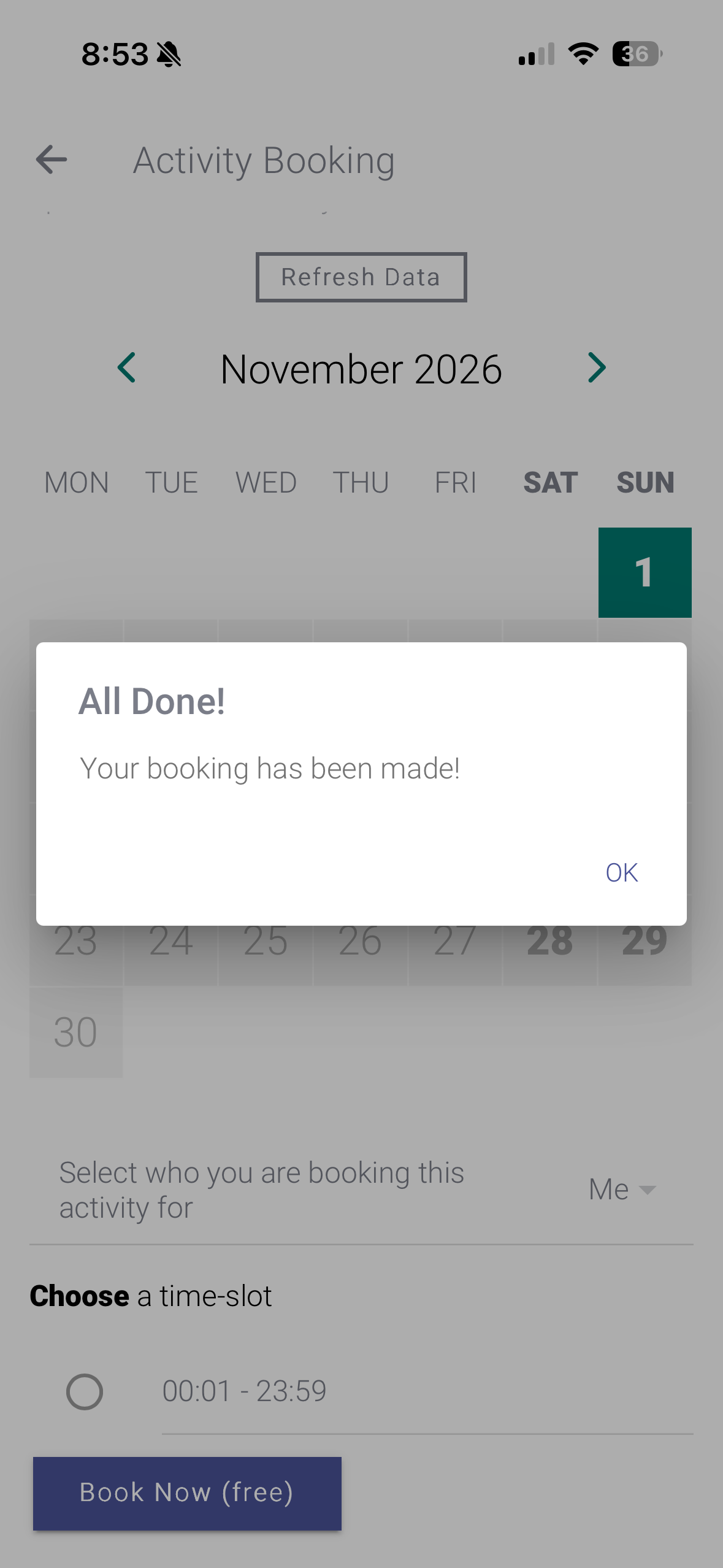 | Choose Book Now (free) Once done, you are opted in and will receive a confirmation email. Please check your junk / spam folder if you don't see it. |
 | Book your swims as you normally would at any participating NOWCA venue and tap in and out. Swims from any participating venue will be included on the scoreboard and count towards your milestone badges. |
Was this article helpful?
That’s Great!
Thank you for your feedback
Sorry! We couldn't be helpful
Thank you for your feedback
Feedback sent
We appreciate your effort and will try to fix the article